
• Explore
  • Blog
  • Podcast
  • Community
  • About
  • Services
  • Contact
Menu

Exploring Information Security

Securing the Future - A Journey into Cybersecurity Exploration
  • Explore
  • Blog
  • Podcast
  • Community
  • About
  • Services
  • Contact
No results found

How to Protect Yourself From Identity Theft

August 28, 2026

Feel free to use this blog post for your own internal security awareness program.

Identity theft is no longer just a financial problem. Criminals can use stolen personal information to open credit accounts, redirect your mail, file fraudulent tax returns, take over online accounts, or even attempt home title fraud. While no solution can eliminate the risk completely, taking a few proactive steps can significantly reduce your chances of becoming a victim.

Freeze Your Credit

A credit freeze is one of the most effective ways to prevent criminals from opening new accounts in your name. When your credit is frozen, lenders cannot access your credit report to approve new credit applications unless you temporarily lift the freeze.

You should freeze your credit with all four consumer credit reporting companies:

  • Experian

  • TransUnion

  • Equifax

  • Innovis

In addition, many security professionals recommend freezing your file with the National Consumer Telecommunications and Utilities Exchange (NCTUE):

  • NCTUE Security Freeze

A credit freeze is free and can be temporarily lifted whenever you need to apply for credit.

Credit Monitoring

One of the best ways to detect identity theft early is to regularly monitor your credit reports. Review reports from Equifax, Experian, and TransUnion for accounts, inquiries, or activities you don't recognize.

You can obtain free credit reports through AnnualCreditReport.com. Consider using a credit monitoring service that alerts you when changes occur on your credit file. Many people also choose to monitor their children's credit to help identify fraud that may otherwise go unnoticed for years.

Enable MFA

Whenever available, enable multi-factor authentication (MFA). MFA requires an additional verification step beyond a password, making it much more difficult for criminals to gain access even if a password is exposed. Passkeys are the new hotness. Check a recent blog post on What are Passkeys. The post dives into what Passkeys are and how to set them up.

Use a Password Manager

A password manager helps solve this problem by securely storing your passwords and generating strong, unique passwords for every account. Instead of remembering dozens of passwords, you only need to remember one strong master password.

When choosing a password manager, select a reputable provider and protect your account with a strong master password and multi-factor authentication (MFA). Never share your master password with anyone, and be cautious of websites or messages asking you to enter your credentials unexpectedly. Check a blog post from earlier this year on Mastering the Password Manager.

Remember, a password manager doesn't just make life easier. It significantly reduces the risk that one compromised password could lead to multiple account takeovers.

Quick Tip

If you're still reusing passwords across multiple websites, start by updating your most important accounts first:

  • Email accounts

  • Banking and financial accounts

  • Healthcare portals

  • Shopping sites with saved payment methods

  • Social media accounts

Securing these accounts with unique passwords and MFA can dramatically reduce your risk of identity theft and account compromise.

Monitor Financial Accounts Regularly

Review bank accounts, credit cards, and investment accounts for unauthorized activity. Many financial institutions allow you to configure alerts that notify you whenever purchases, withdrawals, or account changes occur.

Real-time notifications can help you identify and respond to fraud quickly before significant damage is done.

Be Careful What You Share Online

Social media profiles can provide criminals with answers to common security questions, details about family members, and other personal information used in fraud schemes.

Before posting:

  • Limit the amount of personal information visible to the public.

  • Review privacy settings regularly.

  • Avoid sharing details that could be used to verify your identity.


What to Do If You Become a Victim

If you suspect identity theft or fraud:

  1. Contact your financial institutions immediately.

  2. Place fraud alerts or freezes on your credit files.

  3. Review recent account activity.

  4. Report the incident to local law enforcement when appropriate.

  5. File a complaint through the FBI's Internet Crime Complaint Center (IC3). 

Key Takeaways

Identity theft can happen to anyone, but a few preventive measures can dramatically reduce the risk. Credit monitoring, credit freezes, MFA, secure handling of personal information, and regular review of financial accounts all provide layers of protection. Taking action before a problem occurs is far easier than recovering after your identity has been stolen.
In Advice Tags security awareness, Identity Theft, password manager, Multi-Factor Authentication
Comment

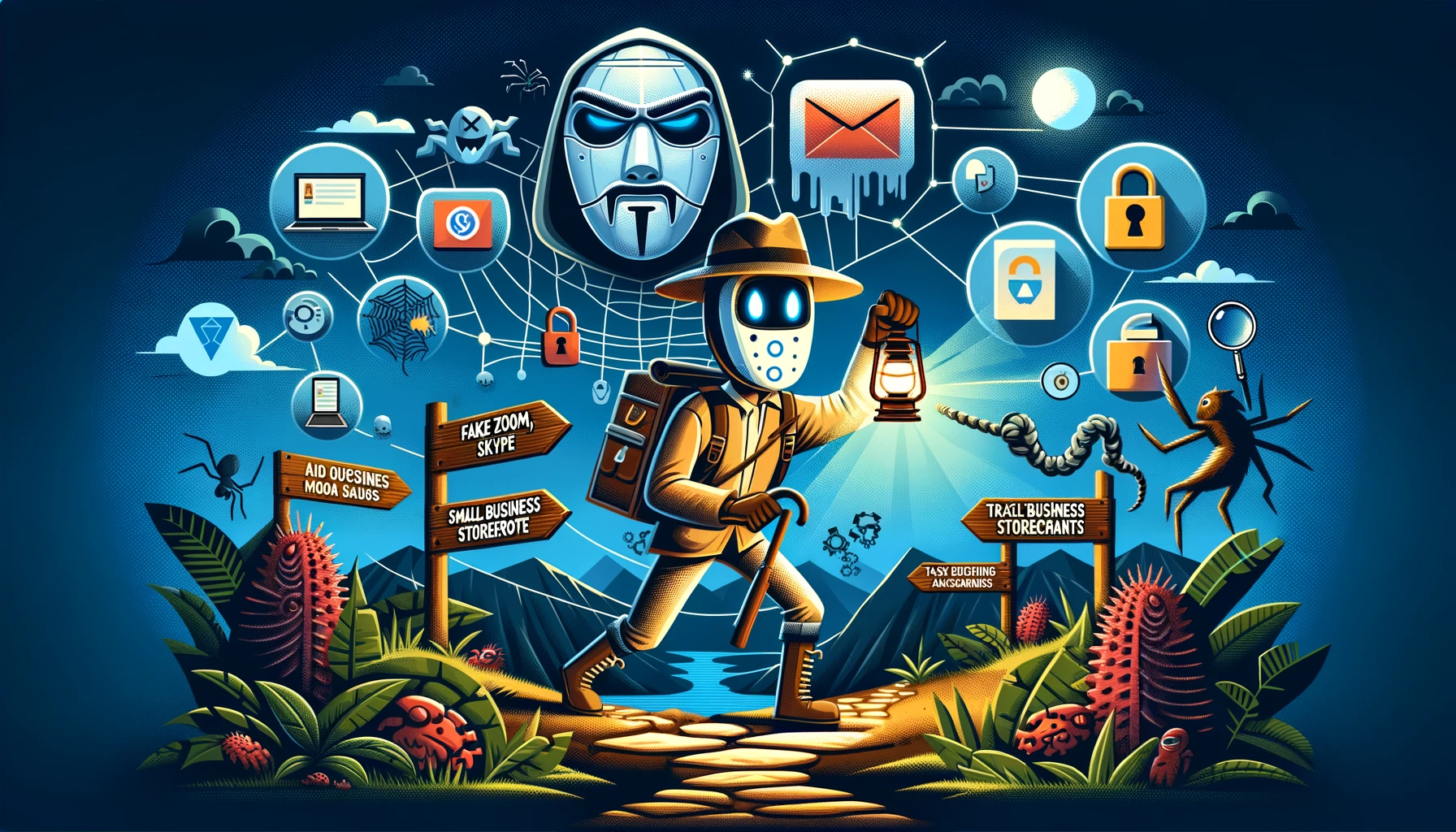
Exploring the newsletter below - Image created with the help of ChatGPT

Security Awareness Newsletter March 2024

April 1, 2024

This is a security newsletter I’ve put together as part of our security awareness program. This leans more towards healthcare and news items that are more general in nature. I’ll have a more technical focused newsletter later this week that’s targeted at security teams. Feel free to take this newsletter and use it internally as part of your security awareness program.

The Great Zoom-Skype-Google Masquerade: Beware of digital doppelgängers. Fake Zoom, Skype, and Google Meet sites are the latest traps set by cyber tricksters.  These spoofed meetings can trick users into downloading harmful software that compromises their computer. Ensure you’re clicking on the real deal to keep those malware masqueraders at bay. Beware of QR codes that will try to steal credentials as part of this type of attack. 

Beware of fake websites mimicking popular brands!: Typosquatting attacks are surging, and cybercriminals are exploiting user mistakes to steal login credentials and spread malware. Typosquatting is where an attacker registers a similar domain to one a person is familiar with. This increases the chance a malicious link will be clicked. 

Small Businesses Hit Hard by Cybercrime: Some social engineering techniques highlighted in the article include: malicious ads; attackers starting a conversation before trying to get the person to take an action; and the move to PDF attachments. These types of attacks help launch ransomware against small businesses. 

Beware of AI-Driven Voice Cloning in Vishing Scams: The Better Business Bureau (BBB) has issued a warning about the rise of voice phishing (vishing) scams utilizing AI-driven voice cloning technology. Scammers can now mimic voices convincingly with just a small audio sample, leading to fraudulent requests for money transfers or sensitive information. Tips to Stay Safe: 

  • Pause Before Acting: Resist the urge to act immediately on unexpected requests, even if they seem to come from a familiar voice. 

  • Verify Directly: Contact the supposed caller using a known, saved number—not the one provided in the suspicious call. 

  • Question the Caller: Ask specific questions that an impostor would struggle to answer correctly. 

  • Secure Your Accounts: Implement multi-factor authentication and verify any changes in information or payment requests. 

Update on Change Healthcare Cyberattack Recovery: Change Healthcare is on track to bring its systems back online by mid-March following a cyberattack that has caused widespread disruption since February 21. The cyberattack has significantly affected healthcare operations nationwide, with providers facing difficulties in payment processing, insurance verification, and clinical data exchange. This highlights why security awareness is so important. Identifying and reporting security threats to the organization is the responsibility of everyone. 

Beware of Tax Season Scams Targeting SMBs and Self-Employed Individuals: As tax season unfolds, a new scam has surfaced targeting small business owners and self-employed individuals. Scammers are using emails to lure victims to a fraudulent site, claiming to offer IRS EIN/Federal tax ID number applications. However, this service is free through the IRS, and the scam site is designed to steal personal information, including social security numbers, creating a significant risk for identity theft and fraud. A Microsoft report identifies green card holders, small business owners, new taxpayers under 25, and older taxpayers over 60 as prime targets for these scams. Check Point has some example phishes in their tax scam article. 

Apple Users Beware: "MFA Bombing" Phishing Attacks on the Rise: Leveraging Apple's password reset system attackers can bombard users with password reset prompts. If a person clicks "allow" on one of the prompts, the attackers can gain access to the user's account. The attackers may also call the person pretending to be Apple support. Some ways to protect yourself from this attack include not clicking on any of the prompts and contacting Apple directly if you receive a suspicious call. 

In News Tags newsletter, Security Awareness, social engineering, Typosquatting, AI, Healthcare, tax fraud, Multi-Factor Authentication
Comment

Latest PoDCASTS

Featured
May 5, 2026
[RERELEASE] What is the perception of information security - part 2
May 5, 2026
Read more →
May 5, 2026
April 28, 2026
[RERELEASE] What is the perception of information security - part 1
April 28, 2026
Read more →
April 28, 2026
April 21, 2026
Exploring the Quantum Horizon: Why We Need CBOMs Today
April 21, 2026
Read more →
April 21, 2026
April 14, 2026
Exploring the Risks of Model Context Protocol (MCP) with Casey Bleeker
April 14, 2026
Read more →
April 14, 2026
April 7, 2026
From Combat Zones to Corporate Lobbies: A Guide to Physical Security with Josh Winter
April 7, 2026
Read more →
April 7, 2026
March 31, 2026
[RERELEASE] What is a SIEM?
March 31, 2026
Read more →
March 31, 2026
March 24, 2026
[RERELEASE] What is threat modeling?
March 24, 2026
Read more →
March 24, 2026
March 17, 2026
[RERELEASE] What is cryptography?
March 17, 2026
Read more →
March 17, 2026
March 10, 2026
[RERELEASE] What is a Chief Information Security Officer (CISO)
March 10, 2026
Read more →
March 10, 2026
March 3, 2026
Exploring The Bad Advice Cybersecurity Professionals Provide to the Public
March 3, 2026
Read more →
March 3, 2026

Powered by Squarespace